


Article Summary
The Office Wired Keyboard is a vital tool for enhancing productivity, comfort, and accuracy in the workplace. This article explores how choosing the right wired keyboard can improve your typing experience, prevent strain, and integrate seamlessly into modern office setups. We'll cover design features, ergonomic benefits, maintenance tips, and compare top options to help you make the best choice.
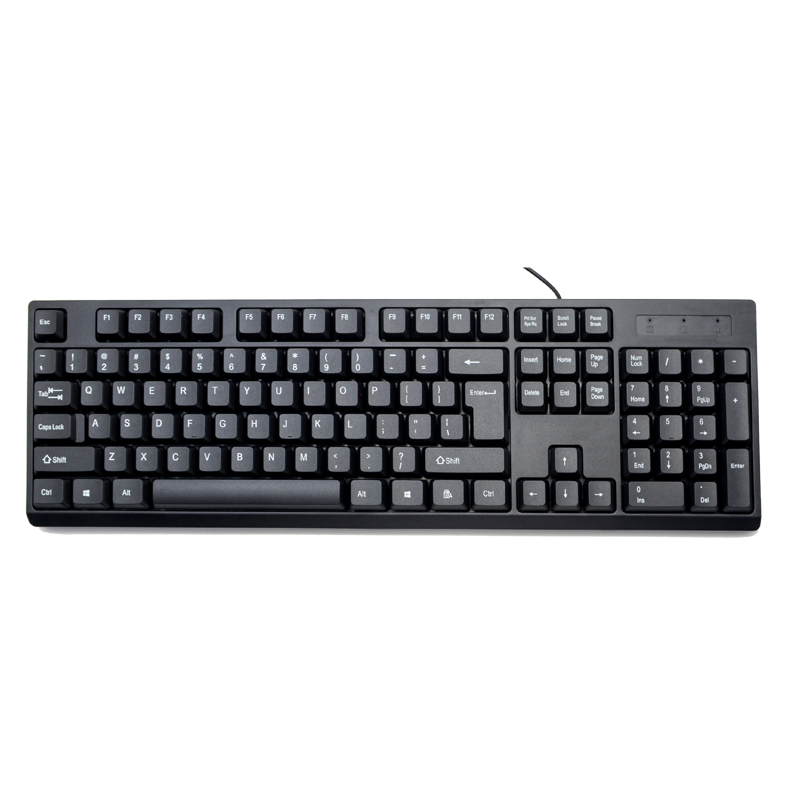
Table of Contents
Why Choose an Office Wired Keyboard?
Many office professionals underestimate the impact of their keyboard on work efficiency. A wired keyboard offers stable connectivity, consistent responsiveness, and eliminates battery concerns, making it a reliable choice for intensive typing tasks. Unlike wireless keyboards, a wired option ensures zero input lag—critical for fast-paced office environments.
Furthermore, a wired keyboard provides a solid, tactile typing experience, which can reduce typing errors and improve overall workflow. For companies looking to equip multiple workstations, wired keyboards from trusted brands like Purio offer durability and cost-effectiveness.
Key Features to Look For in an Office Wired Keyboard
- Full-sized Layout: Includes numeric keypad for accounting, data entry, and multitasking.
- High-quality Key Switches: Mechanical or membrane switches affect typing feel and longevity.
- Durable Build: Sturdy frame to withstand daily office use.
- Anti-ghosting: Ensures simultaneous keystrokes are accurately registered.
- Plug-and-Play: No software installation required; compatible with most systems.
- Spill-resistant Design: Protects the keyboard from accidental liquid spills.
Ergonomics and Comfort Benefits
Typing for long hours can lead to strain in the wrists, fingers, and shoulders. An office wired keyboard designed with ergonomic principles can minimize discomfort and prevent long-term injuries. Key benefits include:
- Adjustable Tilt: Allows optimal typing angle to reduce wrist strain.
- Soft-touch Keys: Decrease finger fatigue during prolonged use.
- Compact Footprint: Frees up desk space for better posture and organization.
- Quiet Keystrokes: Maintain a peaceful office environment without sacrificing performance.
Maintenance Tips for Longevity
Maintaining a wired keyboard properly ensures it lasts for years. Follow these simple tips:
- Regularly clean the keycaps with a soft cloth and mild cleaning solution.
- Use compressed air to remove dust and debris from under the keys.
- Avoid eating over the keyboard to prevent crumbs and sticky residue.
- Keep cables untangled and away from heavy objects to avoid damage.
- Store in a dry, cool environment when not in use to prevent moisture damage.
Comparison of Wired Keyboards
| Brand | Key Type | Spill-Resistant | Price Range | Special Feature |
|---|---|---|---|---|
| Purio Office Wired | Membrane | Yes | $25-$35 | Durable design, Quiet keys |
| Brand X Pro | Mechanical | No | $45-$60 | RGB lighting, Anti-ghosting |
| Brand Y Standard | Membrane | Yes | $20-$30 | Compact layout, Adjustable tilt |
Frequently Asked Questions
Q1: Can I use a wired keyboard with both Windows and Mac?
A1: Yes. Most wired keyboards, including Purio models, are plug-and-play and compatible with both Windows and Mac systems.
Q2: How long does a typical wired keyboard last?
A2: With proper care, a high-quality wired keyboard can last 3–5 years or more.
Q3: Is a wired keyboard better than a wireless one for office work?
A3: Wired keyboards provide stable performance, no battery concerns, and are usually more cost-effective, making them ideal for office use.
Q4: Are Purio keyboards spill-resistant?
A4: Yes, the Purio Office Wired Keyboard features a spill-resistant design suitable for busy office environments.
Contact Purio
Boost your office productivity today by choosing the right wired keyboard from Purio. For inquiries, bulk orders, or detailed product information, contact us and let our team help you upgrade your office setup efficiently.


