News

How Can Ergonomic Keyboard And Mouse Set Improve Your Comfort and Productivity?

2026-04-27 0 Leave me a message

Abstract

An Ergonomic Keyboard And Mouse Set is designed to reduce physical strain, improve posture, and enhance long-term productivity for users who spend extended hours on computers. This article explores how ergonomic input devices address common pain points such as wrist pain, fatigue, and inefficient workflow. It also provides a practical guide for selecting the right set, understanding key features, and optimizing daily usage for both office and home environments.

Ergonomic Keyboard And Mouse Set

Table of Contents


Article Outline

This article is structured to help users understand ergonomic input devices from basic concepts to advanced usage optimization. It begins with defining ergonomic design principles, then explains user benefits, key product features, selection criteria, and concludes with practical recommendations and FAQs.


Introduction: Why Ergonomics Matters

Modern work environments require long hours of typing and mouse navigation. Traditional input devices often force unnatural wrist angles, leading to discomfort, repetitive strain injuries, and reduced productivity over time. An Ergonomic Keyboard And Mouse Set is engineered to align with natural hand posture, minimizing stress on muscles and joints.

Companies like Guangzhou Purio Technology Co., Ltd. focus on developing ergonomic solutions that improve daily computing experiences while addressing long-term health concerns.


What is an Ergonomic Keyboard And Mouse Set?

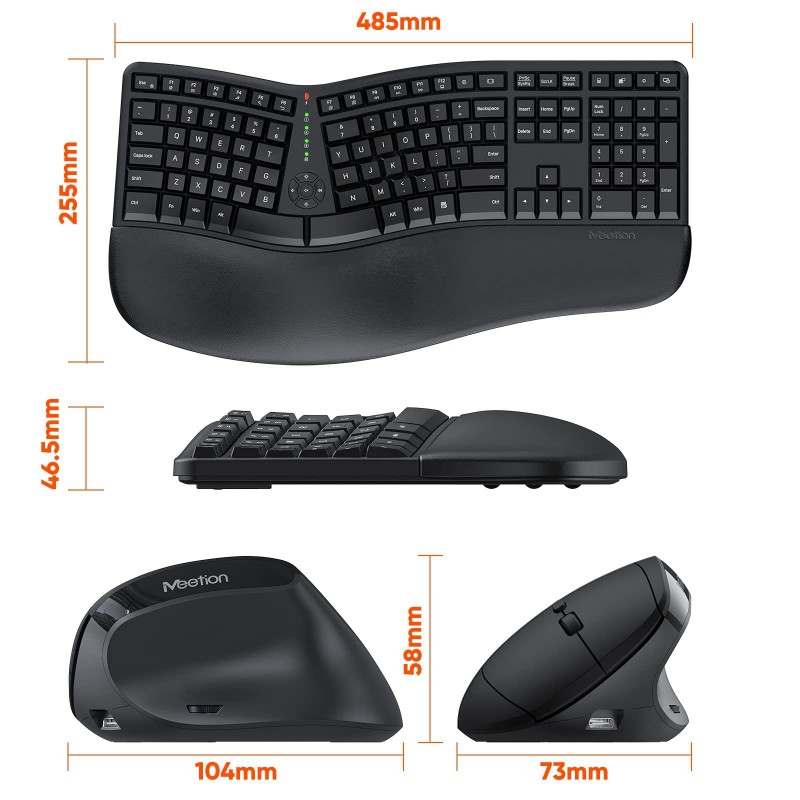
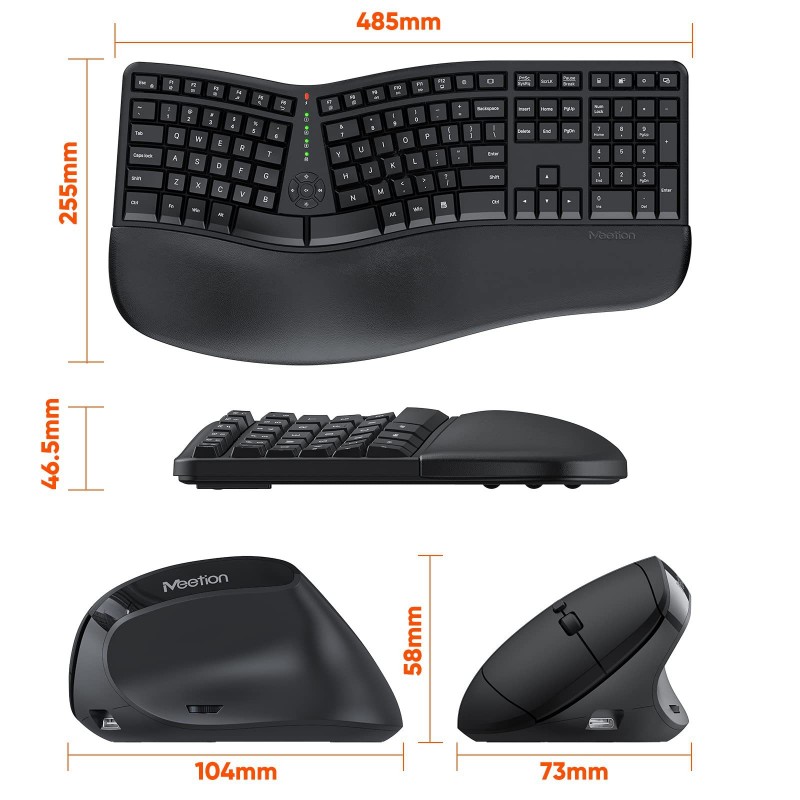
An ergonomic set typically includes a specially designed keyboard and mouse that prioritize natural hand positioning. Unlike conventional devices, these tools reduce awkward wrist bending and encourage neutral alignment.

  • Split or curved keyboard layout for natural typing posture
  • Vertical or contoured mouse design for reduced wrist rotation
  • Soft key pressure and tactile feedback
  • Adjustable angles and wrist support features

Key Benefits for Users

The advantages of using an ergonomic keyboard and mouse set extend beyond comfort. They significantly impact productivity and long-term physical health.

  • Reduces wrist and forearm strain
  • Improves typing accuracy and speed
  • Enhances posture alignment
  • Decreases risk of repetitive strain injuries
  • Supports long-duration work sessions

Essential Features to Look For

When selecting an ergonomic keyboard and mouse set, understanding key features is essential for making the right investment.

  • Split Keyboard Design: Allows natural hand positioning
  • Palm Support: Reduces pressure on wrists
  • Wireless Connectivity: Enhances workspace flexibility
  • Adjustable DPI Mouse: Improves cursor precision
  • Quiet Keys: Suitable for office environments

Comparison Table

Feature Standard Set Ergonomic Set
Wrist Comfort Low High
Posture Support Minimal Optimized
Productivity Moderate High
Long-Term Health Impact Risk of strain Reduced risk

How to Choose the Right Set

Selecting the right ergonomic keyboard and mouse set depends on your usage environment and personal comfort preferences.

  • Evaluate your daily working hours
  • Check wrist support and adjustability
  • Consider wireless vs wired options
  • Test key resistance and layout
  • Ensure compatibility with your system

You can explore professional-grade options from this product page, which provides detailed specifications and use cases.


Best Usage Practices

Even the best ergonomic devices require correct usage to maximize benefits.

  • Maintain straight wrist alignment while typing
  • Keep elbows at a 90-degree angle
  • Take regular breaks every 45–60 minutes
  • Adjust chair height to match desk level
  • Use wrist rests where necessary

Common Mistakes to Avoid

Many users fail to gain full benefits due to improper setup or misconceptions.

  • Ignoring ergonomic positioning
  • Using incorrect desk height
  • Overlooking mouse sensitivity settings
  • Choosing aesthetics over functionality

Frequently Asked Questions

Q1: Who should use an ergonomic keyboard and mouse set?
Anyone who works long hours on a computer, including office employees, designers, developers, and students.

Q2: Does it really reduce pain?
Yes, when used correctly, it significantly reduces wrist and shoulder strain.

Q3: Is wireless better than wired?
Both are effective; wireless offers flexibility while wired ensures stable connectivity.

Q4: How long does it take to adapt?
Most users adapt within a few days to two weeks.


Conclusion & Contact Information

An Ergonomic Keyboard And Mouse Set is more than just an accessory—it is a long-term investment in health, comfort, and productivity. By choosing the right design and using it correctly, users can significantly reduce physical strain and improve daily workflow efficiency.

Guangzhou Purio Technology Co., Ltd. is committed to delivering high-quality ergonomic input solutions designed for modern workplaces and evolving user needs.

If you are looking to upgrade your workspace or need professional recommendations, feel free to contact us for detailed product guidance, customization options, and business cooperation opportunities.

Related News
Leave me a message
X
We use cookies to offer you a better browsing experience, analyze site traffic and personalize content. By using this site, you agree to our use of cookies.Privacy Policy
RejectAccept